How does this work?

How does this work?
Google Chrome and Firefox marking regular HTTP sites as insecure or otherwise alerting the user the connection is not encrypted has been in the works for a while. I never paid much attention to the proposal until noticing Chrome showing a little information alert icon next to regular HTTP pages instead of the usual globe icon.

Old globe icon.
 New info icon for HTTP sites.
 This is the standard green pad lock for HTTPS sites.
 Eventually standard HTTP sites will have this icon.
As a webmaster it feels a bit heavy-handed. However moving over to SSL is a good idea in general. The more regular people are aware of secured vs unsecured sites the better off we all are in general.
You can get 100% valid and trusted SSL certificates for free these days from Let’s Encrypt. One of my hosts, MDD Hosting (affiliate link) includes a cPanel plugin to generate your own free Let’s Encrypt certificates for any domain or sub-domain hosted with them. It’s point and click simple. There’s no excuse not to do it.
Let’s secure every website and service we can with SSL certificates. What do you think about ‘warning’ people they’re browsing a standard HTTP site?
Update:
Our friends at Cloud Living have written up a great tutorial for migrating WordPress to SSL. It’s very easy to follow similar to the method I’ve used for multiple clients over the last 18 months. Do give it a read.
Unified messaging simply means that you can read and reply to your messages from any device you happen to be using. You don’t have to stop writing a report on your laptop and pickup your phone to read & reply to messages. You should simply be able to reply from your laptop. Seems simple, right? However for most of us it doesn’t always quite work that way.
Why is unified text messaging so important? Texting is universal. It’s like email. SMS and MMS is a global standard that works with every modern phone everywhere. All you need is someone’s phone number to get in touch with them. There’s no sending a friend request and waiting for acceptance to contact someone. There’s no grandma doesn’t know how to use Facebook and accept my friend request so we can video chat on Messenger.
 iOS (Apple) has iMessage which works great syncing messages within the Apple ecosystem. If one of your devices isn’t made by Apple you’re out of luck using it to text. There is no good reason iMessage cannot be baked into the iCloud website just like all of Apple’s other services.
 Android (Google) had Hangouts with SMS integration that synced to all your Hangouts clients (Gmail, Hangout App on your tablet, Chrome extension, or the plain old website) but scrapped the integration in favor of launching the Google Messenger app which is a standalone SMS client. Color me confused.
Mighty Text and Push Bullet are 3rd party apps on Android which help you sync messages between your computers/tablets and phone. Both apps are good but both randomly decide not to work from time to time.
It looks like Windows 10 will bring  text sync to Windows Phone and Android users in a future update. That could be interesting.
When your forced to use 3rd party apps like Mighty Text to get texts from your phone to your computer it’s yet another party who can view your texts and yet another server that could be hacked and expose your messages to the world.
Using apps like Facebook Messenger, WhatsApp, Snap Chat, etc are walled gardens of their own. You may be able to read the messages on your phone and a website but not everyone uses every service. You have no control over their storage or message retention policy; some services make it nearly impossible to completely remove a message, other may lack sound security measures. If the service is free usually the product is the user i.e. some of your data be it demographics or your messages are being sold to 3rd parties for tracking and showing you the more relevant advertisements. The list goes on and on.
At the end of the day you wind up with 5 or 6 messaging apps installed just to talk to most of your friends. Not only are some of these apps pretty invasive (ahem, Facebook Messenger) they also slow down your phone. Each app uses memory, gobbles up storage space, and chips away at your battery life.
There is also the issue of each messaging app using data. Most people in the states have unlimited voice and text messaging but data is limited. If you use a service like iMessage to sync your texts it does use data but that’s mostly WiFi. You’re getting a tangible benefit for that data usage – the ability to read and reply to your messages on the device of your choosing. With the instant messaging apps like Whatsapp, Facebook Messenger, etc you’re burning data for no good reason – You could be using good old text messages which don’t use data.
For me, I’d be happy if I never had to install another messaging app on my phone. I would probably one app to message people overseas that isn’t covered on my texting plan.
My new carrier Verizon has a pretty awesome unified messaging system called Verizon Messages. Verizon puts out apps for iOS, Android, Fire OS (Kindle), Windows, and Mac in addition having your text messages on a website available from any web browser. I’m really surprised it’s not a upsell because it’s a great service and works flawlessly for the most part.
Is anyone else frustrated by the sheer volume of messaging apps that don’t solve any problems but just add confusion to the mix?

First make sure you have your primary Taskbar set to show all windows. The easiest way to do this is to right-click on an empty area of the Taskbar and select properties. Deselect the “Show Taskbar on all displays” option then click OK. This will show all open programs on your primary Taskbar making it easier for us to move those ‘hidden’ windows.
 Unless you live under a rock, you know that Windows 10 was released last week. Windows 10 is the successor to Windows 8 and 8.1. For the first time in history Microsoft is giving away free upgrades. Anyone running Windows 7, 8, 8.1, or the Release Preview builds of 10 gets a free upgrade to Windows 10 if you upgrade within the first year.
There’s many reasons for Microsoft to dangle this carrot — The biggest of which is Microsoft wants everyone on the same platform.
Microsoft wants everyone on the same platform (Windows 10) because it is easier for developers to write applications and test against Windows 10 instead of testing Windows XP, Vista, 7, 8, 8.1, and 10. Currently Windows is fragmented. Despite there being no more security patches there are still a lot of people running Windows XP which debuted in 2001. You also have people who still run Vista, Windows 7, and 8. Neither of which are particularly old or unstable. Windows Vista, 7, and 8/8.1 will see security patches for years to come.
Windows tablets and phones are going to be running some iteration of Windows 10 and applications should be universally compatible down the road. The scenario will be you install a Facebook app on the desktop and the same app would automatically download and install on your phone and tablet and be properly formatted to fit each screen. Which is pretty neat if you buy into the Windows ecosystem.
There are a few tweaks to existing features and some new stuff too:
New Start Menu: Basically what Microsoft has done is take the start menu desktop users love from Windows 7 and added an area for metro live tiles beside it while doing away with the awful start screen in 8/8.1. You can remove all the tiles thus disabling Metro stuff or leave a few tiles running. Personally, I like running the Weather, Mail, Calendar, and News tiles. I have yet to find any other universally useful tiles.
Cortana is pretty neat. She’s like Siri for Windows. Basically, you hit the little search button and it starts listening for you to ask it a question. You can ask in regular language “What’s the weather today?”, “When was George Washington born?” and either be shown an answer right in the search pane or dumped to a Bing search page with your query already entered. You can also tell it to remind you to call your mother this evening and stuff like that. Overall, I like Cortana even if she’s a little hard-headed.
For the geekier among us Virtual Desktops are cool. We’ve had this on Linux and OS X for years. Virtual Desktops or “Task View” (as Microsoft calls them) allows you to have multiple desktops open at the same time. This means you can write an article in one task view and have Microsoft Word, One Note, and Chrome open on that desktop. In another desktop you can have all you communications apps (Outlook, Twitter, Skype, etc). In yet another Desktop you will balance your checkbook with your checkbook app and a browser window open to your bank’s website. In theory, you can have as many desktops as you want open. Just remember that every running app eats memory (RAM) so if you plan on using task view a lot be sure you have plenty of memory.
There are other new features not covered here you can see a full list at: https://www.microsoft.com/en-us/windows/features
There’s a couple of methods to upgrade. The easiest is using the Windows Update method. If you reserved your upgrade during the pre-release you will be receiving a notice that Windows 10 is ready to install sometime in the near future. I used this process on my desktop and it was painless. I hit install, went to the store, and came back to Windows 10 fully installed and working.
A second method of upgrading is to use the media creation tool from Microsoft. You can create a DVD or thumb drive to boot from or just pop the thumb drive in and click setup.exe to run the installer.
One thing that’s worth noting, if you take advantage of the free upgrade offer you must upgrade first (no fresh installs until later). Upon upgrade your Windows 7 or 8 key is (sort of) converted to a Windows 10 key. If you want to do a fresh later on down the road you can do so by creating a DVD or thumb drive using the media creation tool. I haven’t tested this but supposedly you can skip inputting the license key and W10 will automatically activate once it’s online so long as there are no hardware changes.
Microsoft has worked hard to make this upgrade as painless and possible and it pretty much is. Pre-Vista upgrades were a headache there were *always* driver issues. Going from Vista to 7 and then from 7 to 8 has been a painless process for me whether doing an in place upgrade or fresh install. Going from 8 to 10 was painless too.
That really depends on how much you like your current setup. If you’re running Windows 7 or 8 and really like it then there’s no reason to upgrade. If you just want to check out the latest and greatest go for it. If you’re like me and just like running the latest stable release of a software – go for it.
The only thing that would make me think twice about upgrading is if I had older peripherals that may not have drivers; Though if it worked under Windows 8 it *should* work under 10.
If you’re the designated house geek I wouldn’t recommend upgrading Mom and Dad until you have a few hours to sit and help them get their bearings especially if they’re going from 7 to 10. 8 to 10 isn’t much of a UI change.
How many of you upgraded already? What are you thoughts?
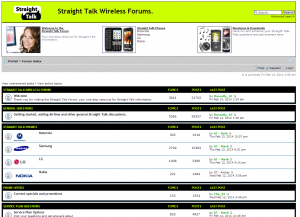 Apparently, Straight Talk has a company owned forum over at StraightTalkWirelessForum.com. I’ve come across it while Googling various Straight Talk issues and since it was using free forum software and is generally an eyesore I figured it was a 3rd party help site much like this one. After a little more reading I realized STWF is an official site. Urgh!
The funny things is most responses to questions are:
Hi <member>. My name is Straight Talk <name>. Sorry that you’re having a problem. I’m going to try to help you now. We need to take this issue offline, so I can address it further. I will contact you directly with a private message. Thank you.
The funnest thing is you can see the reps telling a member to make 5 posts in order to activate the private messaging service. In this case the forum administrator would be much better off allowing private messages for all registered members.
My guess is the rep gives the member the number to call customer service via private message. The same number they’ve already tried calling and with no results.
The idea of taking everything to private message flies in the face of what forums are about. You post a problem, someone posts a solution, and it’s out in the open for all to see. The next person that has the problem can find the thread and fix the problem on their own. Yes, certain information (phone, serial numbers, etc) should be conveyed via private message but for the most part solutions can and should be posted in the open.
You’ll have to excuse me I’m sort of a forum snob. I run quite a few forums and always use paid forum software. The feature set and the default look is leaps and bounds over the look of phpBB (the software STWF is running). Heck, there is even free software (ahem, myBB) that looks and runs much better than phpBB.
Seeing this abomination of a forum and lack of any clue what a forum is about almost makes me want to turn this site into a Straight Talk Help Forum.